¶ General Ledgers
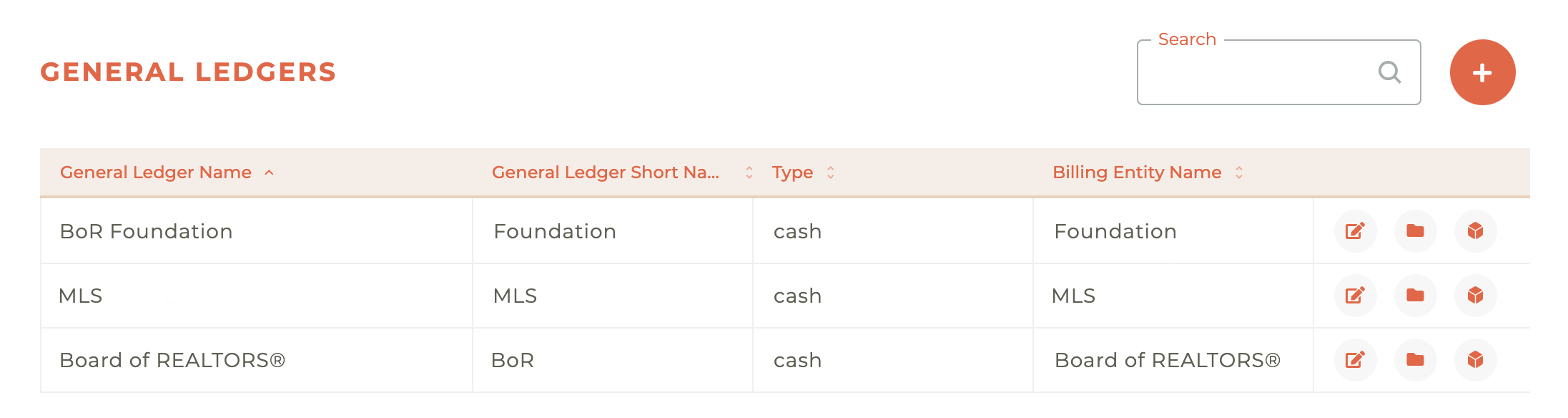
The main dashboard for the general ledgers contains your list of (general ledger) entities and allows you to edit the details associated with those entities. You can create new general ledgers, update a general ledger, manage accounts inside the general ledger and manage products associated with a general ledger.
Not ALL general ledger items need to be included in this configuration, just those that impact items billed in Tangilla.
¶ Creating A New General Ledger
It is not likely you will ever have so many general ledgers that you will need the search function on this page, but it is there for you should you ever need it.
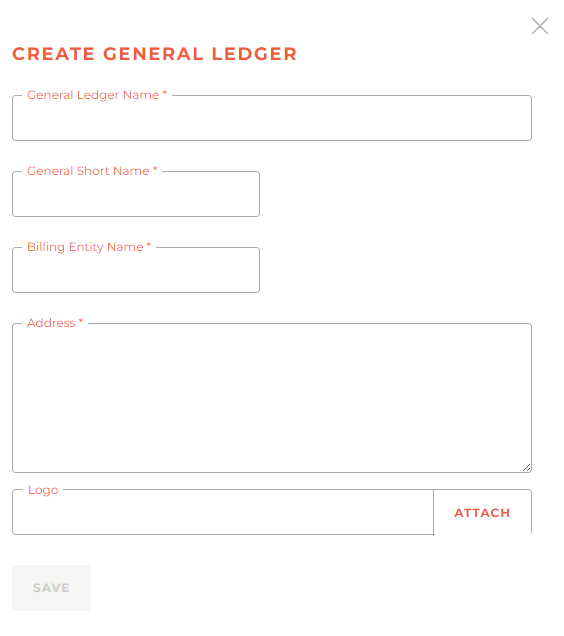
To create a new general ledger, click on the - - icon in the upper right hand corner and the Create General Ledger window will slide out from the right side of the dashboard. These screens are only accessible by approved finance team members, so the details required to create an account should be known to them.
¶ Updating A General Ledger
Clicking on the - - icon will cause the Update General Ledger window to slide out from the right side of the screen.
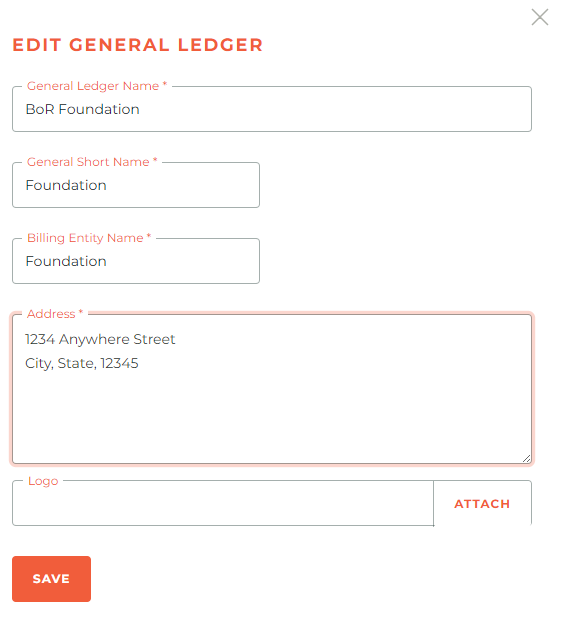
This should be done with caution and only by approved finance team members who understand the potential implications of changing general ledger details.
¶ General Ledger Accounts
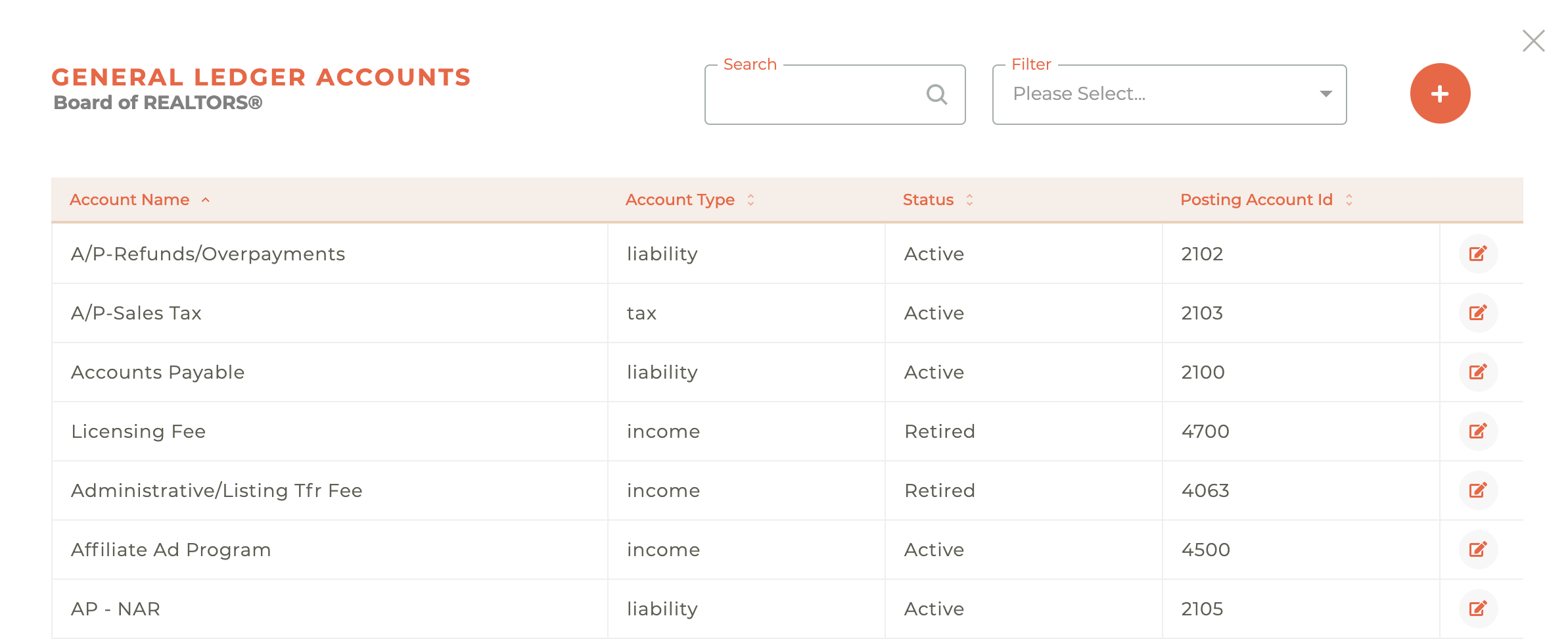
A general ledger is likely to have numerous general ledger accounts associated with it. To access these accounts for creation and editing, click on the - - icon associated with any of the general ledgers. This will cause the General Ledger Accounts window to slide out from the right side of the dashboard.
¶ Search & Filter General Ledger Accounts
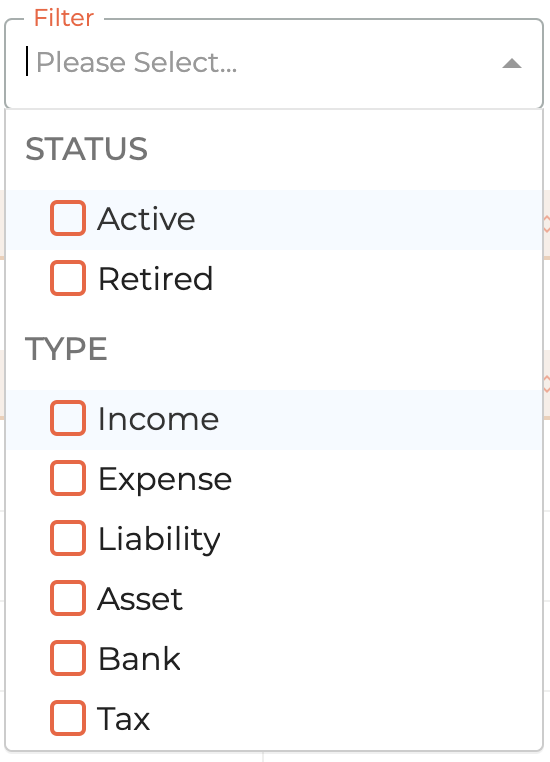
The general ledger accounts list can be searched, & filtered and also ordered by Account Name, Account Type, Status (Active or Retired) or Posting ID.

You can search by any detail in the Account Name, Account Type, Status or Posting ID. You can filter general ledger accounts by using the selection window. You can select one or many filters to limit your results. (See below).
¶ Creating New General Ledger Accounts
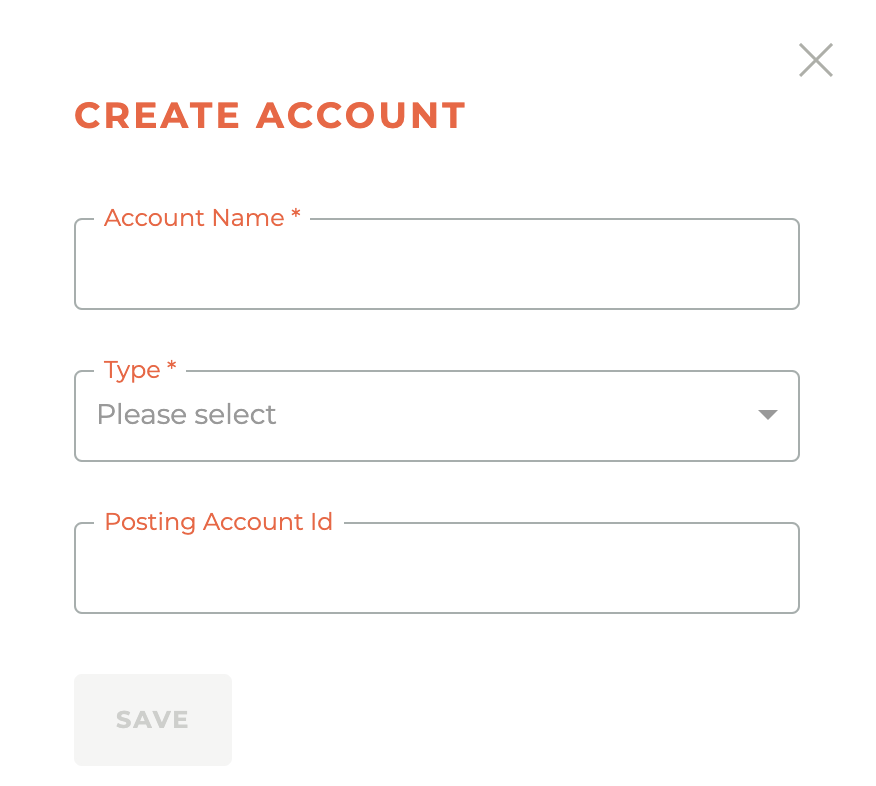
Clicking on the - - icon will cause the Create Account window to slide out from the right side of the dashboard. Again, these screens are only accessible by approved finance team members, so the details required to create an account should be known to them.
¶ General Ledger Products
Products should not be updated without assistance from the Tangilla team to ensure implications are fully understood before proceeding.
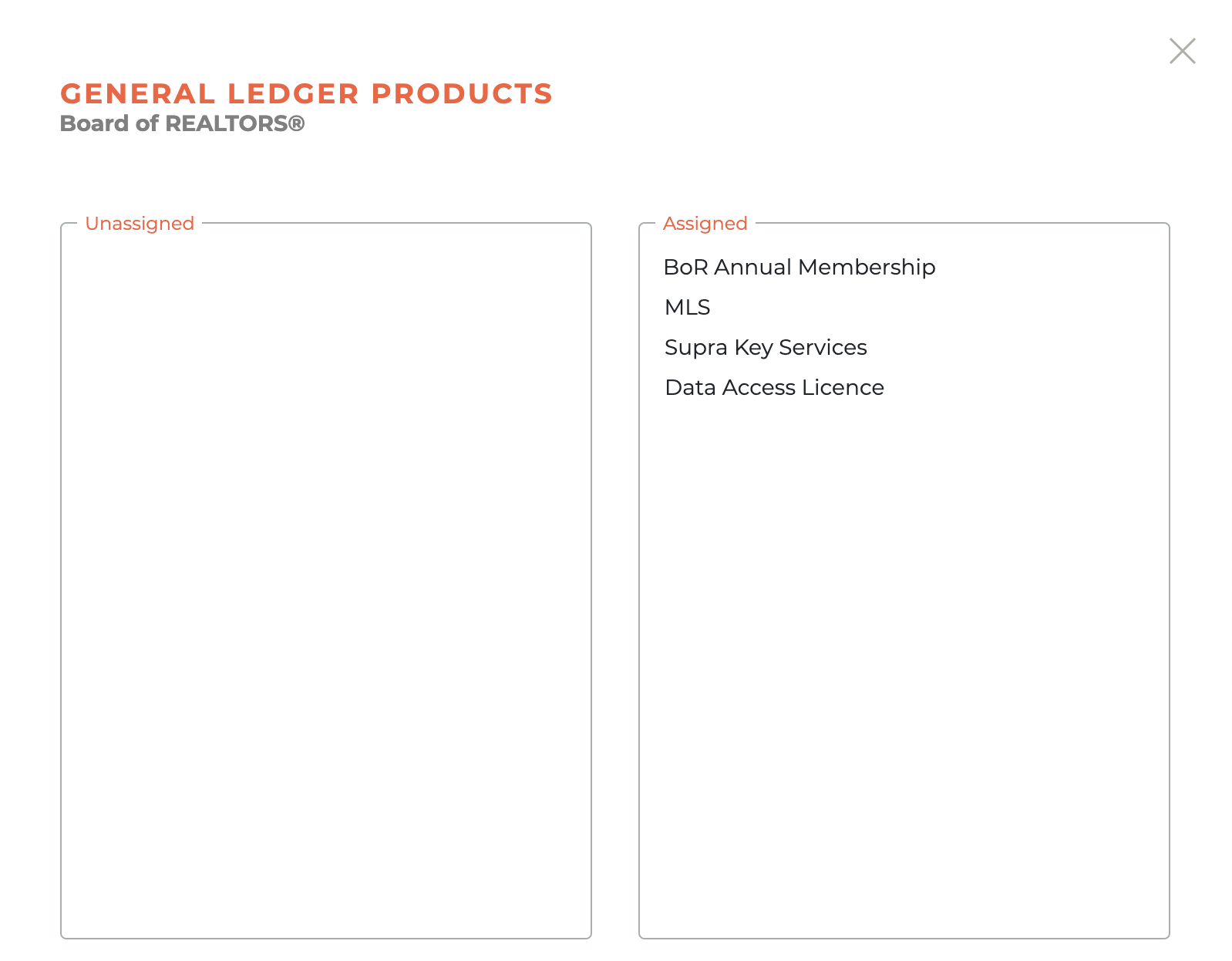
Clicking on the - - icon next to any general ledger will cause the general ledger products window to slide out from the right side of the dashboard. This window will allow you to select any products that should be invoiced out of this general ledger.
¶ Frequently Asked Questions
| # | Question | Answer |
|---|---|---|
| 1 | What is the purpose of the General Ledgers dashboard? | It contains a list of general ledger entities and allows users to create, update, and manage general ledgers, accounts, and associated products. |
| 2 | Who has access to create or update general ledgers? | Only approved finance team members have access to create or update general ledgers. |
| 3 | How do you create a new general ledger? | Click the icon in the top right corner; a creation window will slide out from the right side of the dashboard. |
| 4 | How can you update an existing general ledger? | Click the icon; an update window will slide out from the right. Only trained finance team members should make updates. |
| 5 | What are General Ledger Accounts? | These are accounts associated with a general ledger, used for organizing financial data, which can be created and edited by accessing the ledger’s edit icon. |
| 6 | How can you search and filter General Ledger Accounts? | You can search and filter by Account Name, Account Type, Status (Active/Retired), or Posting ID using the provided selection and filter tools. |
| 7 | How do you create a new General Ledger Account? | Click the icon in the General Ledger Accounts section; a creation window will slide out from the right. |
| 8 | What icon is used to access General Ledger Products? | The icon is used to access the General Ledger Products window. |
| 9 | Can all general ledger items be included in Tangilla? | No, only those that impact items billed in Tangilla should be included in the configuration. |
| 10 | Should General Ledger Products be updated independently? | No, product updates should not be made without help from the Tangilla team due to potential implications. |